
AI Automation for Enterprises: From Workflow Map to Measurable ROI
The difference between enterprises that capture the value and those that don't is not budget or technology. It is focus, sequencing, and governance
AI automation is the most immediate commercial opportunity in enterprise AI right now. Not agentic AI at full scale — that comes later. Not generative AI models — those are enablers. AI automation: finding the specific processes in your business that consume disproportionate human time, and replacing them with AI-powered workflows that run faster, more accurately, and at a fraction of the cost.
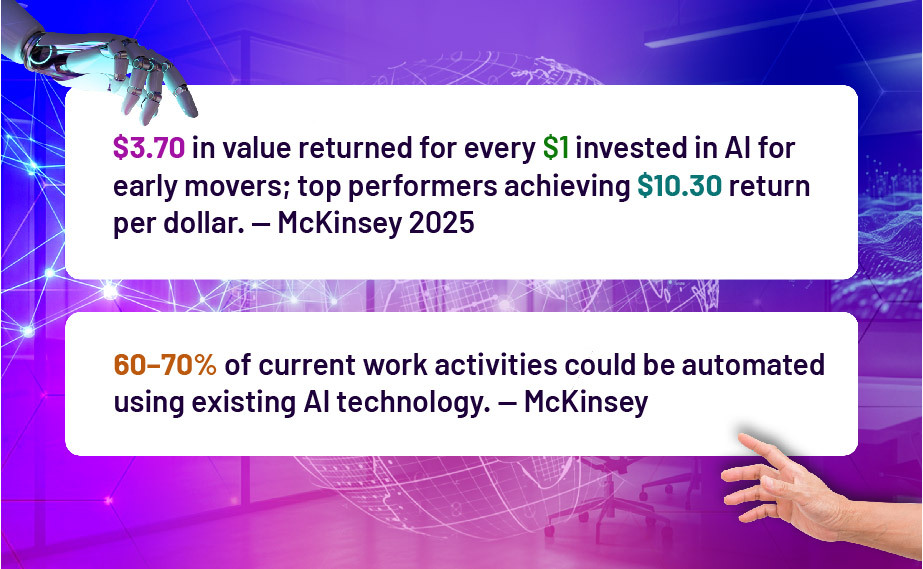
The data is clear on both sides of this equation. On the opportunity side: McKinsey estimates that 60–70% of current work activities could be automated using existing AI technology. BCG reports that professionals reclaim 26–36% of their time in routine task areas when AI automation is in place. On the risk side: 70–85% of AI initiatives still fail to deliver expected outcomes, and 42% of companies abandoned most AI projects in 2025 — up from 17% the year before.
Why AI Automation Is Now a Board-Level Priority
Three forces have elevated AI automation from IT initiative to board agenda item:
Cost competitiveness: If your competitors are automating 30–40% of their operational overhead andyou arenot, you are operating at a structural costdisadvantagethat compounds every quarter. This is no longer theoretical — it is happening in manufacturing, financial services, professional services, and retail right now.
Talent constraints: Skilled talent is expensive and scarce. Automating high-volume, low- judgment tasks is the fastest way to expand operational capacity without proportional headcount growth.
Speed of execution: Automated workflows run 24/7, do not need hand-offs, and do not lose context between steps. For time-sensitive operations — customer response, supply chain monitoring,compliance reporting—this is a genuine competitive advantage.
The strategic framing has also shifted. Until 2023, AI automation was "efficiency." In 2025, it is the infrastructure of competitive position. Leaders who understand this are moving from pilot to production — fast.

Identifying the Right Processes to Automate First
The most common mistake in enterpriseAI automation isstarting with what seems exciting rather than what delivers the fastest, most measurable return. A better approach: prioritise by the intersection of three factors.
Volume: How manytimes does this processrun? Daily? Hundreds of times? A process that happens twice a week is not a good automation candidate. A process that runs 200 times per day absolutely is.
Standardisability: Does the process follow predictable inputs and outputs, even if those inputs are unstructured (like emails or forms)? Processes with high variability and heavy human judgment are harder to automate fully — better as a second wave.
Cost of error: What happens when the automation makes a mistake? For low-stakes, recoverable errors, move fast. For high-stakes decisions — financial, legal, safety — build human review checkpoints into the design.
Top 10 Enterprise Processes Highly Suitable for AI Automation (2025)
- Invoice processing and accounts payable reconciliation
- Sales lead qualification and CRM data entry
- Customer service ticket triage and tier-1 resolution
- Monthly/quarterly management reporting
- Employee onboarding task sequences and document collection
- Procurement: purchase order creation, supplier query responses
- Contract review: flagging non-standard clauses
- Marketing: content scheduling, performance reporting, A/B test management
- IT service desk: password resets, access requests, common troubleshooting
- Compliance: document scanning, risk flagging, audit trail generation
AI Automation vs RPA vs Low-Code: Choosing the Right Tool
| Criteria | RPA | Low-Code / No-Code | AI Automation (Agentic) |
|---|---|---|---|
| Handles exceptions | Structured / UI-based | Structured + API | Structured + Unstructured Yes |
| Reasoning ability | Rarely None High High | Partially Limited | High Low–Medium (no-code) |
| Setup complexity | Medium–High Legacy | Medium Medium | Low–Medium Low–Medium |
| Maintenance burden | system, UI tasks | Medium App | Variable, judgment workflows |
| Cost per process | integrations | ||
| Best use case |
Design Blueprint: From Use Case to Deployed AI Automation
The fastest path to a working AI automation is not the most sophisticated one — it is the most focused one. Here is the blueprint that consistently produces results in 60–90 days:
Week 1–2 | Process Audit:
Map the target process end-to-end. Document all inputs, decision points, outputs, exceptions, and current time cost. This becomes the specification for the automation.
Week 3–4 | Tool Selection and Integration Setup:
Choose the automation platform (e.g., n8n, Make, Microsoft Power Automate) and connect the required systems (CRM, ERP, email, document storage). Test API connections.
Week 5–6 | Agent/Workflow Build:
Build the automation logic in the no-code platform. Include error-handling rules, escalation paths, and logging. Run on sample data, not live operations.
Week 7–8 | Parallel Testing:
Run the automation alongside the manual process. Compare outputs. Identify edge cases and gaps. Refine until error rate is acceptable.
Week 9–10 | Live Deployment:
Switch to the automated workflow for new incoming work. Monitor closely. Track volume, time saved, error rate, and team confidence.
Week 11–12 | Measure and Scale:
Quantify time and cost savings against baseline. Document what worked. Apply the blueprint to the next use case.
Industry Use Cases: Manufacturing, Services, and BFSI
Manufacturing :
- Qualitycontrol documentation: AI agents review production logs, flag anomalies, and generate QC reports — eliminating 4–6 hours of manual compilation weekly.
- Procurement automation: Agents monitor inventory levels, generate purchase requisitions, send supplier queries, and update ERP — reducing procurement admin by 40–60%.
- Maintenance scheduling: Agents process sensor data, cross-reference maintenance histories, and generate preventive maintenance schedules without manual intervention.
Professional Services / ITES :
- Proposal and SOWgeneration: Agents pull relevant case studies, capability matrices, and pricing models to generate first-draft proposals — saving 8–12 hours per proposal cycle.
- Client reporting: Agents aggregate project data, generate narrative commentary, and distribute formatted reports on schedule — eliminating one of the most despised manual tasks in professional services.
- Timesheet and billing: Agents cross-reference project logs with billing rules and generate invoices, flagging discrepancies for review.
BFSI :
- Loan processing: AI-powered automation has reduced loan processing times by up to 80% in leading institutions, with 90% improvement in accuracy. — McKinsey
- Compliance monitoring: Agents scan transaction data, flag suspicious patterns, and generate regulatory reports — reducing compliance workload by 30–40%.
- Customer onboarding: Agents handle document collection, verification, and account setup — reducing onboarding time from 30 minutes to under 10.
Measuring ROI from AI Automation
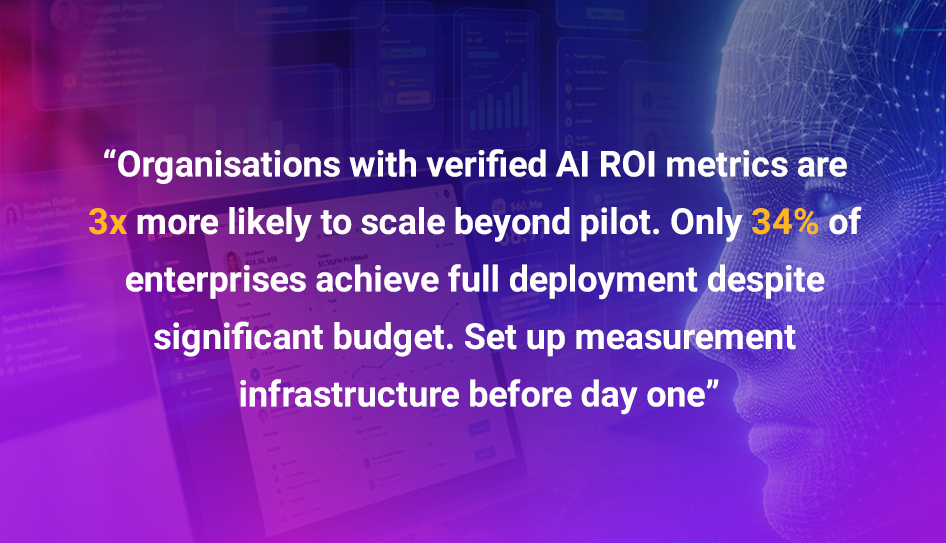
Most AI automation pilots fail to demonstrate ROI not because the results aren't there — but because no one set up a proper baseline measurement before deployment. Establish these metrics before you start:
- Current process time: Average time taken per instance of the process today (manual baseline).
- Volume: How many instances per week/month?
- Error rate baseline: What is the current error or rework rate?
- Headcount equivalent: What FTE time is consumed by this process monthly?
After 90 days of automation, measure: time per automated instance, volume processed without errors, hours reclaimed (headcount equivalent), and cost per transaction. These four numbers give you a compelling, board-ready ROI narrative.
Frequently Asked Questions — Agentic AI
Q. What is the difference between AI automation and traditional automation?
A. Traditional automation(including RPA)followsfixedrules onstructureddata. AI automation incorporates language models and reasoning capabilities, enabling it to handle unstructured inputs (emails, documents, PDFs), make contextual judgments, and adapt to exceptions. This makes it applicable to a much wider range of business processes — particularly those that involve reading, writing, or reasoning.
Q. How quickly can we expect ROI from AI automation?
A. Forwell-scoped, high-volume processes, ROI typically materialises within 3–6 months. IBM research shows an average return of $3.50 for every $1 invested in AI, with top performers achieving much higher returns. The key is starting with a process that has a clearly measurable time cost — so the savings are quantifiable from week one of deployment.
Q. Do we need to change our existing systems to implement AI automation?
A. In most cases, no. Modern AI automation platforms (n8n,Make, Power Automate) integrate with existing systems through APIs and connectors. The automation sits on top of your current stack rather than replacing it. The most common integration requirement is ensuring the relevant systems have accessible APIs — which most cloud-based platforms do.
Q. What are the most common pitfalls in enterprise AI automation projects?
A. Thefive most commonpitfalls are:
- Starting with the wrong use case —choosing exciting over high-value.
- Skipping the baseline measurement — making ROI impossible to prove.
- Insufficient change management — automations that teams do not trust or use.
- No governance framework — agents acting outside intended scope.
- Trying to automate too much too fast — losing focus and momentum.
Q. Can AI automation work for SMEs, or is it only for large enterprises?
A. AI automation is often moreimmediately impactfulformid-sized businesses (100–2000 employees) than for large enterprises, because the savings as a proportion of headcount are larger, decision cycles are faster, and there is less organisational complexity to navigate. Many of the most effective AI automation implementations happen in 50–500 person businesses.